Add Row
Add Element
cropper
update

DYLBO Smart Marketing

for Local Business

cropper
update
Add Element
  • Home
  • Categories
    • Smart Marketing Strategy
    • Local SEO & Visibility
    • Content & Authority Building
    • Funnels & Lead Generation
    • Paid Ads & Campaigns
    • Social & Video Marketing
    • Reviews & Reputation
    • Sector Marketing Guides
    • Smart Marketing News
  • Smart Marketing Services
Add Element
  • DDM on Facebook
    update
  • DDM on X.com
    update
  • DDM Google Business Profile
    update
  • DDM on LinkedIn
    update
  • update
  • DDM on Youtube
    update
  • DDM on Instagram
    update
November 28.2025
1 Minute Read

FAQ Pages Best Practice: Avoid These Costly Mistakes Now

Did you know that over 70% of website visitors will abandon your website if they can’t find answers to their questions within seconds? Most business owners never realise how much revenue is lost simply by neglecting the basics of faq pages best practice and effective faq page design.

Whether you’ve stuck to the classic single FAQ page or opted for distributed faq section blocks within your content, one misstep can undermine your customer experience and cost you loyal clients. In this definitive editorial, we uncover the costly mistakes plaguing FAQ strategies - and how to choose the solution that truly fits your audience and SEO goals.

Unveiling the Truth: Common Misconceptions About FAQ Pages Best Practice

  • Startling Fact: Websites with well-structured FAQ pages see up to 40% lower support ticket volumes compared to those with disorganised or hidden FAQs.

Insightful business team analysing user behaviour data on a modern digital dashboard, reflecting faq pages best practice analysis
  • The Central Debate: Should all your frequently asked questions be consolidated in a single, central faq page, or should you embed a faq section within every relevant article? This debate divides web strategists, webmasters, and support teams alike.

  • Why It Matters: Getting FAQ architecture wrong doesn’t just frustrate users - it bogs down customer service, increases support tickets, and makes it harder for your support team to deliver fast, accurate help.

When considering how to structure your FAQ content, it's also worth exploring how other customer-facing resources - like meeting summaries and action items - are managed for clarity and efficiency. For practical tips on keeping your support documentation and follow-ups organised, see these best practices for managing meeting summaries and action items.

What You’ll Learn About FAQ Pages Best Practice

  • Expert opinions: Real insights into effective FAQ pages best practice for maximum information efficiency.

  • Main advantages & pitfalls: The real-world pros and cons of using a single FAQ page versus multiple FAQ sections in articles.

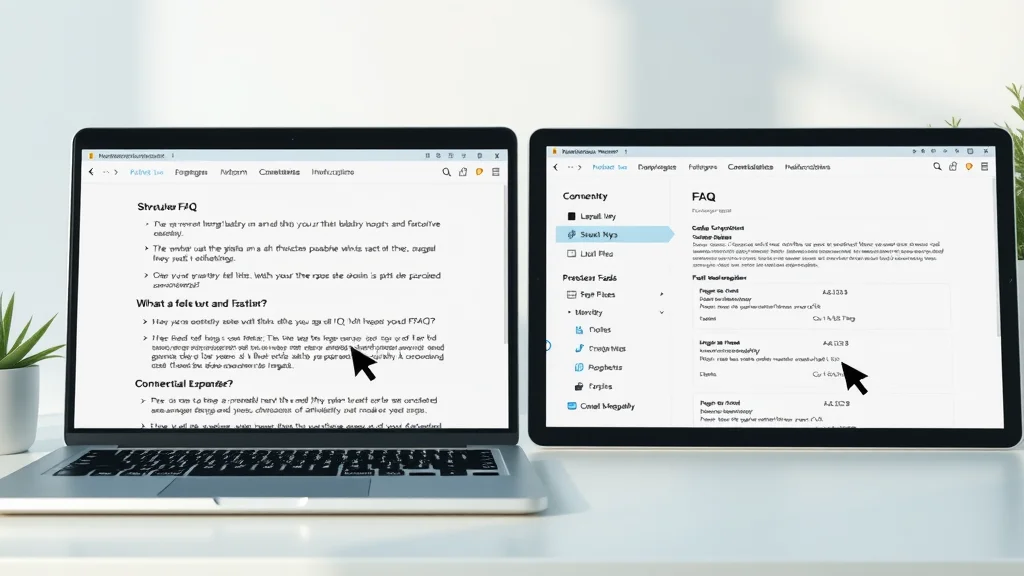
Balanced comparison of single FAQ page and distributed FAQ sections, showing faq pages best practice differences
  • SEO Optimisation: How to structure your FAQ pages for top search engine results and ideal customer experience.

  • Costly Pitfalls: Common layout and navigation mistakes that could harm your FAQs' performance. We’ll ensure you get best practices right - and never copy content across multiple FAQ pages.

Faq Page vs. Distributed Faq Sections: Which Best Practice Reigns Supreme?

Exploring the Classic FAQ Page Approach

  • Definition & Layout: A standalone faq page is a dedicated hub that centralises all your frequently asked questions in one neatly structured location, optimized for both user experience and search engine visibility. Typically, it includes a prominent search bar, collapsible sections, and clear categories for easy navigation. This design instantly signals to visitors and search engines that your site is trustworthy and resource-rich.
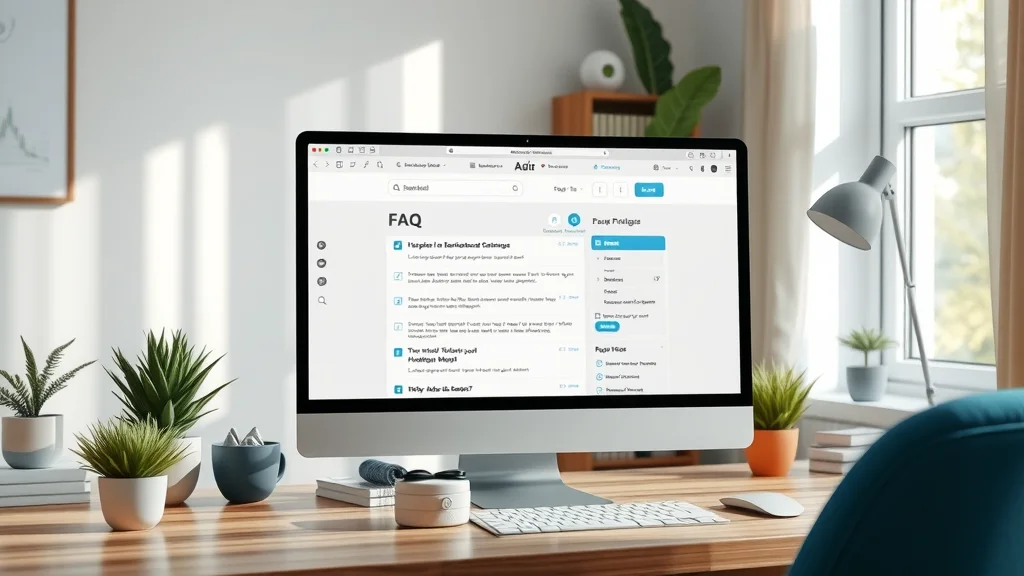
Modern FAQ page on a desktop screen, demonstrating faq page best practice for user experience and knowledge base integration
  • Clear Display of Answers: When executed well, faq pages display answers using intuitive expanders, clickable links, or even integrated media, enhancing both customer experience and search engine optimisation. The clarity and uniformity cut down confusion - which is critical to retaining customers who seek fast resolutions.

  • Support Team Workflow: Having all asked questions in one place streamlines responses for your customer support team. It strengthens your knowledge base and allows agents to refer customers quickly, reducing the time spent on repeat queries and improving satisfaction metrics.

The Case for Distributed FAQ Section Within Articles

  • What are in-article FAQ sections? Rather than centralising content, many brands now strategically embed FAQ section blocks at the end - or even within the body - of their articles. These snippets answer queries that are hyper-relevant to the article’s content, addressing real user intent as it arises.

Professional adding FAQ block within web article, best practice for distributed faq sections and search engine optimisation
  • SEO and UX Best Practice: Search engines reward pages where frequently asked questions are relevant, concise, and match real user intent, making faq sections within articles a powerful SEO strategy. Embedding FAQ blocks gives context-sensitive value and helps your page qualify for rich results - especially when combined with structured schema. However, this tactic only works if you make sure answers are unique, concise, and clearly formatted.

“The right FAQ pages best practice is one that supports both your users’ intent and your wider search engine optimisation goals.”

Pros and Cons: FAQ Pages Best Practice Analysed

Feature

Single FAQ Page

FAQ Section in Articles

Best Practice

Centralises answers, simplifies knowledge base maintenance

Delivers contextual, relevant questions and answers for each topic

Asked Questions Visibility

Excellent - all in one place with search functionality

Good - but spread throughout site; may miss global queries

Live Chat Integration

Straightforward; live chat sits beside FAQs

Possible, but must be added to every FAQ section individually

Common Questions Handling

Easily referenced and updated by support team

Requires regular auditing for consistency

Direct visual comparison between structured FAQ page and contextual FAQ section, best practices for asked questions visibility and live chat

FAQ Pages Best Practice: Advantages and Limitations

  • Advantage: A search bar and logical grouping mean users can find common questions effortlessly. A well-built FAQ page also forms the backbone of a robust knowledge base, letting your support team quickly reference or share answers.

  • Limitation: If not carefully structured, these pages risk “information overload”. A tidal wave of answers without clear categories defeats the purpose. Moreover, maintaining accuracy requires regular updates, and if your product or offering is broad, the support team may struggle to keep the content concise and current.

Faq Section Benefits for Customer Experience

  • Contextual Clarity: Distributed FAQ sections enhance contextual relevance by matching frequently asked questions with the precise topic a user is currently exploring. This aligns perfectly with what search engines now reward—addressing micro-intent and serving answers in the right moment.

  • Drawbacks: However, the decentralised approach can undermine consistency. Updates to common questions must be synchronised across articles, or your user may encounter conflicting or outdated answers, risking trust and increasing support tickets.

Satisfied customer using website FAQ section, highlighting best practice of embedding asked questions for enhanced customer experience

Faq Pages Best Practice: Essential Features Every FAQ Should Include

  • Smart Design: Your faq page should prioritise readability, fast navigation with a search bar, and clearly distinguished question–answer pairs to meet best practice standards. Best practice means using expandable answers for clarity and minimal scrolling.

  • Integration: Live chat, customer support, and your broader knowledge base must all be linked from your FAQ. This way, if a user’s question isn’t on the page, they’re just a click away from expert help.

Interactive FAQ section with live chat integration, reflecting faq pages best practice for support and customer experience
  • Question Formats: Mix expanding sections and static text, but always make sure formatting is consistent. This enables both users and search engines to digest your frequently asked questions efficiently without confusion.

Search Engine Optimisation for FAQ Pages Best Practice

  • Indexing Structure: Both centralised and distributed FAQs require thoughtful structure. For a standalone FAQ page, group by topic and use clear headings. In distributed sections, add unique, context-relevant asked questions and answers that add value to the article and aren’t copied verbatim across the site.

  • Schema Markup & Technical SEO: Apply FAQ schema markup for rich results - this additional step means search engines may display your answers to common questions directly on result pages, boosting visibility and click-through rates.

SEO expert implementing schema markup for FAQ pages, best practice for search engine optimisation of asked questions
  • Balance: Don’t let SEO override customer experience. The best faq pages best practice finds equilibrium: answers that serve users first and satisfy search intent for search engines second.

Frequently Made Mistakes in FAQ Pages Best Practice (And How to Avoid Them)

  • Neglecting User Intent: Not every asked question is equal - prioritise answers that matter most to your user and skip the irrelevant filler.

  • Inconsistent Formatting: Jumping between bullet points, plain text, and headings confuses both users and search engines.

  • Lack of Search Bar: Without an intuitive search bar, your FAQ turns into a maze—make sure all FAQ pages and knowledge base areas are fully searchable.

Frustrated website visitor unable to find answers in a cluttered FAQ page, a violation of faq pages best practice
  • Missing Live Chat: No customer service or live chat fallback traps users in dead ends. Best practice: Always provide escalation routes.

  • Duplicating FAQ Content: Copy-pasting the same asked questions and answers lowers effectiveness and triggers SEO red flags.

“Too often, organisations overlook the fundamentals of faq pages best practice—costing them both customers and credibility.”

Expert Opinions: What Leading Brands Get Right (and Wrong) About Faq Pages Best Practice

  • Case Studies: Top SaaS brands leverage hybrid models: a central FAQ page covering global frequently asked questions, paired with contextual FAQ sections inside articles for targeted customer support.

Panel of customer support professionals discussing FAQ strategies, learning from faq pages best practice and support team insights
  • Analysis: Leaders invest in regular content audits, ensuring that asked questions match evolving user concerns and that the support team is always empowered to update content based on real support tickets and feedback.

“The best FAQ pages reflect real user language and are continuously updated by the support team.”

People Also Ask: Answers to Common FAQ Pages Best Practice Questions

What is the primary difference between a single FAQ page and FAQ sections embedded in articles?

  • A single FAQ page centralises commonly asked questions into one dedicated area—perfect for users seeking broad answers. FAQ sections in articles instead tackle queries in their specific context, enhancing immediate clarity for readers diving deep into a specific topic. Your customer experience depends on matching your approach to audience needs.

How does FAQ pages best practice affect search engine optimisation?

  • Smart FAQ pages best practice boosts SEO by structuring asked questions for clear indexing, leveraging FAQ schema, and interlinking related content to help search engines surface rich results - all while improving the internal customer support workflow.

Should I use a search bar in my FAQ section or rely on navigation categories?

  • Always include a search bar in your FAQ page. This lets users instantly find answers to common questions - vital for large knowledge bases, where navigating categories just isn’t fast enough.

Can I use the same asked questions across multiple FAQ pages?

  • Resist the urge to duplicate. While some overlap is expected, FAQ pages best practice insists you rephrase or adapt asked questions and answers for each context, supporting both user experience and SEO.

Does integrating live chat with FAQ pages improve customer experience?

  • Absolutely. Live chat bridges the gap for users when FAQs fall short. Immediate help dramatically reduces frustration and builds trust in your customer service.

  • Watch an animated walkthrough of building high-performing FAQ pages and FAQ sections: from great layouts to schema markup and live chat integration. See real websites apply these best practices for maximum impact and learn how to implement them on your own site.

  • Gain insights from a panel of support team leaders who share their real-world do’s and don’ts, lessons from support ticket data, and advanced tips for keeping your FAQ pages relevant and agile.

Lists: Quick Dos and Don’ts for Faq Pages Best Practice

  • Do: Use clear headings, concise answers, and logical placement for every FAQ section in your articles.

  • Don’t: Overwhelm users with an avalanche of common questions or hide access to live chat and customer service escalation.

FAQ Pages Best Practice: Frequently Asked Questions (FAQ)

  • What is a FAQ page best practice for navigation?
    Intuitive navigation with a prominent search bar and logical grouping so users quickly spot what they need.

  • How often should you update your asked questions and answers?
    Review and update monthly - or whenever product, services, or policies change. Frequent auditing ensures relevance and supports customer support.

  • Are FAQ pages required for every website?
    Not mandatory, but essential for websites with complex offerings or heavy support needs. They lower support tickets and boost trust.

  • How do FAQ pages impact customer experience and customer support?
    When done right, they empower users to self-serve, cut support ticket loads, and improve perception of your brand’s customer service.

Key Takeaways on FAQ Pages Best Practice

  • Choose the FAQ format - central page or distributed sections - based on your users’ needs and your content’s scale.

  • Every FAQ page or FAQ section must be concise, up to date, with a search bar and links to live chat and customer support.

  • Audit your FAQs regularly; let your support team drive updates using real-world support ticket data.

Summary and Next Steps

  • Whether you prefer a single FAQ page or distributed FAQ sections, the ultimate test is user satisfaction - not tradition.

  • Now is the time to review your own FAQ strategy: update layouts, streamline navigation, and avoid duplicate content pitfalls for the best possible outcomes.

  • For Help with Blogging & Authority Building, Email Us at SmartMarketing@dylbo.com

Mastering FAQ pages is just one part of delivering a seamless customer experience. If you’re ready to elevate your entire engagement strategy, consider how innovative approaches - like Target’s 10-4 Rule - can transform every touchpoint with your audience. Discover how this simple yet powerful principle can help your team foster genuine connections and set your brand apart by exploring the Target 10-4 Rule for enhanced customer experience. By integrating best practices from FAQs to frontline interactions, you’ll be well on your way to building trust, loyalty, and long-term success.

Sources:
Nielsen Norman Group – https://www.nngroup.com/articles/faqs/
Moz Blog – https://moz.com/blog/seo-for-faq-pages
Search Engine Land – https://searchengineland.com/the-best-faq-pages-for-seo-324708

To enhance your understanding of effective FAQ page design and avoid common pitfalls, consider exploring the following resources:

  • “How to design an FAQ page: 6 examples and best practices” (webflow.com)

This article provides practical tips on organizing questions, simplifying design, and incorporating search functionality to improve user experience.

  • “FAQ page: Benefits, best practices and examples” (godaddy.com)

This resource offers insights into structuring FAQ content effectively and includes examples from well-known brands to inspire your own page design.

By reviewing these materials, you’ll gain valuable strategies to optimize your FAQ pages, enhance customer satisfaction, and reduce support inquiries.


Content & Authority Building

5 Views

0 Comments

Write A Comment

*
*
Related Posts All Posts
10.12.2025

Authority site optimization: Fix Your SEO Fast

Did you know that less than 1% of all pages rank in the top 10 Google search results within a year? Most websites struggle because they ignore a crucial strategy—authority site optimization. If you’re ready to revamp your SEO and start ranking, this guide will deliver the shortcuts and secrets you need for rapid success. Startling Facts: The Real Impact of Authority Site Optimization Authority site optimization is not just a buzzword—it's the secret engine behind nearly all top-performing websites. A surprising study showed that sites with high domain authority and optimized link profiles receive up to 87% more organic traffic than their competitors, even if their content volume is similar. This means your website’s ability to attract and retain search engine favor is directly linked to how you optimize its authority. Sites that routinely audit their domain authority, improve their quality content, and build a robust backlink profile consistently outperform rivals in engine rankings. In fact, websites that neglect authority optimization often languish on later pages of search engine results, never reaching their full potential for organic traffic. Now is the time to harness these powerful tactics and move your digital presence into Google’s spotlight. What You'll Learn from This Guide on Authority Site Optimization Comprehensive strategies for authority site optimization Techniques to improve domain authority and authority score How to audit and enhance search engine ranking Practical link building and quality content tips Understanding Authority Site Optimization and Its Role in SEO So, what exactly is authority site optimization? It’s the process of turning your website into a trusted, expert source for both users and search engines like Google. Authority site optimization focuses on boosting domain authority, enhancing your link profile, publishing quality content, and refining technical SEO—all key ranking factors used by search engines to determine your placement on search engine results pages (SERPs). Having a strong authority metric is more important than ever, as Google and other search engines prioritize trustworthy, reputable websites for top spots in their engine rankings. When you focus on both your site’s domain authority and authority score, you help search engines see your content as credible and deserving of higher visibility. Mastering this process sets you apart as a reliable resource, making it easier for users to find and trust your website. Domain Authority vs. Domain Rating vs. Authority Score You’ll hear several terms—domain authority, domain rating, and authority score—when learning about site optimization. While they’re sometimes used interchangeably, each one is unique and calculated differently by popular SEO tools like Moz, Ahrefs, and Semrush. Domain authority (DA) predicts how likely your site is to rank on search engine results pages, while domain rating (DR) measures the strength of your backlink profile compared to all other sites. Authority score, used by tools like Semrush, combines factors such as quality backlinks, organic traffic, and other trust signals. Let’s compare them side by side: Metric Definition Calculation Source Impact on SEO Recommended Tools Domain Authority (DA) Predicts likelihood of ranking in search results Links, trust signals, site age Moz High DA increases ranking potential Moz, Ahrefs Domain Rating (DR) Strength of link profile on a 0–100 scale Number & quality of referring domains Ahrefs Higher DR means stronger backlink authority Ahrefs, Moz Authority Score Overall measure of domain’s SEO health DA, DR, backlinks, traffic signals Semrush Comprehensive SEO performance indicator Semrush The Science Behind Search Engine Ranking and Authority Every search engine uses complex algorithms to determine which websites appear first on their engine results pages. These algorithms rely on signals like domain authority, authority score, link profile, and quality content. For example, Google’s algorithm favors domains with a robust backlink profile and a history of publishing reliable content that satisfies search intent. Each search engine ranking factor—from page speed to user experience—plays a critical role in determining where your site appears on search results. It’s vital to understand that search engines like Google, Bing, and Yahoo all aim to provide users with trustworthy, relevant, and timely information. Sites with higher domain authority and diversified links tend to earn top rankings because search engines trust them more. By focusing on authority site optimization and consistent auditing, you signal to search engines that your website deserves to be placed in front of more organic traffic. Step-by-Step Authority Site Optimization Process Conducting an SEO audit using authority checkers and domain rating tools Optimizing your site’s link profile and backlink profile Enhancing site structure for improved user experience and engine ranking Implementing on-page SEO: meta tags, page speed, mobile-first Off-page SEO: link building and acquiring quality backlinks Audit Domain Authority and Authority Score Begin by using trusted authority checker tools like Moz, Ahrefs, and Semrush to get a baseline for your current authority score and domain rating. This initial step provides insight into your strengths and weaknesses. Look at your DA, DR, and authority score to identify where you can make the biggest gains. Are your numbers lagging behind your competitors? If so, this is your first area to address. Regular audits help you spot drops in authority metric and link profile quality before they harm your search engine ranking. Knowing how often and where to look lets you stay ahead of SEO declines. A frequent review of your backlink profile, authority score, and site performance should be part of your ongoing strategy. Always benchmark your site against top competitors to discover other quick wins for authority site optimization. Optimize Your Link Profile and Backlink Profile Your link profile is a collection of all inbound links pointing to your website. Optimizing this backlink profile is critical for authority site optimization because high-quality backlinks act like “votes” of trust in the eyes of Google and other engines. Aim to diversify your sources—focus on acquiring links from high-authority websites that are relevant to your niche. Spot toxic or irrelevant links using SEO tools and remove them. Build relationships with industry influencers, participate in relevant online communities, and consistently seek new quality backlinks. Analyze your link profile for anchor text diversity and referral domains, as a varied backlink profile with a healthy mix of dofollow and nofollow links will help boost your search engine ranking safely and sustainably. Boost Quality Content and User Experience The backbone of authority site optimization is quality content—information that is original, useful, thorough, and up-to-date. Search engines reward well-written content that answers users’ questions and keeps them engaged. To improve your site’s authority, publish in-depth articles, guides, and resources on your subject matter. Invest in regular content updates and use structured headings, lists, and visuals to improve readability. User experience is just as vital a ranking factor as content quality. Fast load times, intuitive navigation, mobile-first design, and a clear site structure reduce bounce rates and increase dwell time. When users feel satisfied with their experience, search engines like Google take notice and improve your site’s engine ranking. Always test your site’s usability on multiple devices and collect feedback to make meaningful improvements. Enhance On-Page Elements for Better Engine Rankings On-page SEO involves optimizing everything users and search engines see on your site—from meta tags to site speed and mobile responsiveness. Use keyword-rich, natural language in your meta titles, descriptions, and headings. Compress images, leverage browser caching, and use a content delivery network (CDN) for improved page speed. Implement schema markup for rich snippets and review structured data to improve visibility on engine results pages. Mobile-first indexing means your site must look and perform well on smartphones and tablets, so prioritize responsive design. Regularly monitor technical SEO using tools like Google Search Console and SEMrush to quickly address crawl errors or broken links that could hurt your authority score. A concise video walkthrough exploring domain authority, authority score, and essential strategies for optimizing your website’s authority. Link Building Strategies for Authority Site Optimization Guest blogging on high-authority sites Conducting outreach for backlink acquisition Building partnerships to grow your backlink profile Submitting to relevant directories to enhance engine rankings “Effective link building remains one of the most impactful factors for authority site optimization and sustained SEO success.” – SEO Expert Tables: Sample Link Profile Audits and Authority Score Improvement Tips Backlinks Volume Quality Anchor Text Diversity Source Types 350 High Varied (Brand, Keywords, Generic) Blogs, News Sites, Forums 120 Mixed Mainly Brand Directories, Partner Sites 45 Low Repetitive Irrelevant/Foreign Sites Authority Score Improvement Checklist Check Item Tools Best Practice Audit Backlinks Ahrefs, SEMrush Disavow toxic links, reinforce quality Update On-Page SEO Google Search Console Optimize meta tags, headers Improve Site Speed PageSpeed Insights Compress images, CDN Publish Authority Content SurferSEO Regular evergreen updates Key Ranking Factors in Authority Site Optimization Domain authority and authority score Quality backlinks and diverse link profile User experience and bounce rate Quality content and topical relevance Technical SEO for engine rankings People Also Ask About Authority Site Optimization How to improve site authority? Improving your site authority requires a mix of strategic steps. Begin by securing high-quality backlinks from relevant, established websites in your industry. Develop comprehensive, quality content that answers user queries and encourages engagement, as user experience directly impacts ranking factor. Audit your backlink profile for toxic or irrelevant links, using SEO tools like Google Search Console, Ahrefs, or Semrush. Optimize all on-page elements—meta tags, internal linking, site speed, and mobile usability—and monitor authority metrics consistently to track progress. A combination of these actions can significantly increase your domain authority and authority score over time. What is the difference between DA and PA in SEO? DA, or Domain Authority, is a metric that predicts how well an entire domain will rank on engine results pages, while PA, or Page Authority, forecasts the ranking potential of a specific page within that domain. Both metrics, developed by Moz, use similar signals like backlinks and trust but on different scopes—DA for a whole site and PA for a single page. For authority site optimization, focus primarily on DA for holistic improvement, but don’t neglect individual high-value pages with strong PA. What is a good authority score? A good authority score is relative to your niche and competition. For most business and content sites, an authority score of 30 to 50 is considered decent, while a score above 60 is seen as strong and competitive. Leading brands and longstanding domains often reach scores above 70 or even 80. Monitor your authority metric regularly with tools like Semrush or Ahrefs, and aim to outperform direct competitors rather than chase arbitrary numbers. What are the 3 C's of SEO? The “3 C’s of SEO” refer to Content, Code, and Credibility. Content covers the relevance and depth of your information; Code relates to technical optimization such as site speed, schema, and clean HTML; and Credibility involves building trust with users and search engines via high-quality backlinks and authority signals. Effective authority site optimization balances all three for lasting engine ranking improvements. See authority site optimization techniques in action with real case studies and success stories. Common Pitfalls in Authority Site Optimization and How to Avoid Them Relying solely on DA or authority score without considering user experience Ignoring technical SEO fundamentals in pursuit of backlinks Acquiring toxic or irrelevant backlinks that harm your link profile “Authority site optimization is a holistic process—balance technical, content, and off-page strategies to see lasting results.” – Industry Analyst FAQs on Authority Site Optimization What tools help with authority site optimization? Leading tools include Moz, Ahrefs, Semrush, and Google Search Console. Each provides in-depth insights into domain authority, backlink profile, and technical site health. Choose based on the features most valuable to your optimization goals. How often should you audit domain authority? As a best practice, audit at least quarterly, and after any major SEO campaign or link building push. Regular checks prevent hidden issues from undermining your site’s search engine ranking. How quickly can you see results from site optimization? While some technical fixes yield improvements in days, authority gains from new backlinks or content updates usually become visible in 1–3 months, depending on your site’s size and industry competition. Does social media influence authority score? While social signals don’t directly affect authority metrics like DA or DR, consistent social activity can boost content exposure, earn more backlinks, and indirectly strengthen your authority site optimization strategy. Key Takeaways for Rapid Authority Site Optimization Focus on domain authority, authority score, and link profile Invest in quality backlinks and content Regularly audit and tweak on-page and off-page SEO Track progress with authority checker tools Summary and Next Steps for Authority Site Optimization Understanding and implementing authority site optimization strategies is the fastest, most sustainable way to fix your SEO woes and capture valuable engine rankings. Prioritize quality, trust, and consistency for the best results. Ready to Build Your Online Authority? To learn more about building your online authority, email us at smartmarketing@dylbo.com To further enhance your understanding of authority site optimization, consider exploring the following resources: “7 Tips for Boosting Your Website Authority”: This article provides actionable strategies to elevate your site’s authority, including leveraging expert content creators and utilizing structured data to support E-E-A-T principles. (stellarcontent.com) “How to Build Powerful Authority Sites that Dominate SEO”: This guide delves into methods for constructing authority sites, emphasizing the importance of reducing low-quality backlinks and focusing on comprehensive content marketing strategies. (webgisolutions.com) By integrating these insights, you can effectively enhance your website’s authority and improve its search engine performance.

10.12.2025

Online presence enhancement Tips You Must Know

Did you know that 97% of consumers look online for local businesses? In today's digital-first world, a strong online presence isn't just a bonus—it's vital for personal and corporate brands alike. Whether you're an entrepreneur, marketing professional, or simply wanting to boost your visibility, understanding the best strategies for online presence enhancement can make or break your success. This easy-to-follow guide brings expert-backed advice and real-world examples to help you stand out and grow your brand online. A Surprising Insight: The Real Impact of Online Presence Enhancement Building a robust online presence isn't just about being seen—it's about being trusted, remembered, and chosen by potential customers. In a time where consumers research and compare brands at the tip of their fingers, your online presence enhancement can be the deciding factor between thriving versus simply surviving. Studies show that nearly everyone starts their buying journey online, making your social media presence and media presence the front door to your business or expertise. It's not just about posting regularly; it's about using each digital channel intentionally to strengthen your brand awareness and inspire action from potential customers. "Recent studies reveal that 97% of consumers look online for local businesses — strong online presence has never been more critical." What You'll Learn About Online Presence Enhancement Why online presence enhancement is key for personal and corporate brands Actionable strategies to strengthen your social media and media presence How customer experience drives online reputation Email marketing and content marketing essentials Mistakes to avoid when building strong online presence What Does Online Presence Enhancement Mean? Defining Online Presence Enhancement So, what exactly is online presence enhancement? Simply put, it’s the practice of improving and expanding your visibility, credibility, and engagement across all digital channels. This means optimizing not just your website, but also your social media profiles, review sites, and overall media presence. The end goal? To ensure anyone searching for your business or expertise sees a cohesive, compelling story that inspires confidence and trust. With the right online foundation, you also help search engines and platforms present your brand more prominently—making it easier for potential customers to find and choose you. Small tweaks, like updating your media profile and maintaining a regular blog post schedule, can have a big impact as well. When your brand shows up on the first page of results—and looks credible across all digital channels—you're far more likely to attract new opportunities and sales. No matter your industry, focusing on online presence enhancement is a critical part of any modern marketing strategy. Why Media Presence and Social Media Presence Matter Think of your media presence as your reputation echoing across the web. Platforms like LinkedIn, Instagram, or local business directories are where people go to learn more about you or your company. Strengthening your social media presence is about much more than broadcasting promotions. It's about using each social media platform as a window into your brand, sharing your story, expertise, and values so that potential customers want to follow and interact. When you maintain a cohesive media presence, people notice your professionalism and commitment. This increases the chance of word-of-mouth referrals, higher customer engagement, and better visibility in search engine rankings. Ultimately, your social media and media profiles create a digital handshake with every visitor, setting the stage for long-term relationships and business growth. The Foundations of a Strong Online Presence The Role of Consistent Branding in Online Presence Enhancement Consistent branding is the backbone of effective online presence enhancement. If your visual identity, messaging, and tone change from one platform to another, it can confuse potential customers and weaken your credibility. Start by standardizing your logos, colors, and messaging across all media profiles and social media platforms. Consistency not only builds recognition but also helps search engines understand and recommend your business. Make sure to update your business listing details everywhere and monitor for any outdated information. Even small things—like an old phone number or inconsistent imagery—can undermine your perceived professionalism. Simple steps like creating a brand style guide and using templates for posts and bios will also help keep your messaging uniform, regardless of where customers discover you. Website Fundamentals: Your Digital Storefront Your website acts as your digital storefront, often serving as the first touchpoint in your online presence enhancement efforts. A well-structured site, aligned with your brand awareness and messaging, can turn casual visitors into loyal customers. Make sure your site is mobile-friendly, loads quickly, and includes clear calls to action. Remember, search engines favor websites that are user-centric and updated frequently. To further support a strong online presence, integrate your social channels, media profiles, and customer reviews directly onto your homepage. Use fresh, engaging content—such as blog posts or product videos—to tell your story and provide value. Regular updates also help boost your site's ranking, making it easier for potential customers to find you. Building Trust with Customer Experience Customer experience can make or break your digital reputation. Beyond just offering quality products or services, it's about how you interact with and support users at every stage. Responding promptly to inquiries, showing empathy, and delivering on promises are all part of exceptional customer service—crucial for positive online presence enhancement. Happy customers are more likely to leave glowing reviews and recommend your business to others, both online and offline. Monitor digital channels for feedback and always look for ways to exceed expectations. Investing in memorable experiences will also help your media presence stand out, paving the way for lasting success. Core Strategies for Online Presence Enhancement Leveraging Social Media: Beyond the Basics Selecting the right platforms for your brand Creating engaging social media presence Monitoring and analyzing social metrics To get ahead in today's crowded digital market, you need to go beyond simply having social media profiles. Effective online presence enhancement means choosing the platforms where your target audience spends most of their time—whether that's TikTok, LinkedIn, Facebook, or Instagram—and customizing your approach accordingly. Regularly share engaging content tailored to each platform, from behind-the-scenes videos to informative infographics and interactive polls. Monitor your growth using analytics tools that track audience engagement, post reach, and referral traffic. These metrics offer insights into what's working, so you can refine your social media presence for even better results. Personal and Business Content Marketing Tips Identifying share-worthy topics Maximizing blog post and video content Collaboration with influencers for media presence expansion Great content marketing is at the core of authentic online engagement. Start by identifying topics your potential customers care about—look for pain points, trends, and questions you can answer. Use a mix of blog posts, videos, and visuals to provide value across all digital channels. Collaborate with influencers and industry experts to amplify your media presence and reach new audiences. Regular contributions—such as guest blog posts or video interviews—help build authority while generating backlinks that boost your search engine visibility. Make sure every piece of content you share serves a clear purpose, whether it’s informing, inspiring, or persuading your audience to take action. Enhancing Your Strong Online Presence Across Channels SEO Essentials for Online Presence Enhancement Search Engine Optimization (SEO) is the secret weapon behind lasting online presence enhancement. By optimizing your website and content for relevant keywords, your brand becomes more visible to people searching for products or services like yours. Make sure to update meta titles, descriptions, and include strategic internal linking throughout your site. Local SEO is also key—maintain accurate business listings, encourage positive reviews, and use location-based keywords to attract regional customers. Consistency across all media profiles and social media platforms further strengthens your SEO, helping you outperform the competition in search engines. Maximize Email Marketing for Customer Engagement Despite the rise of social media, email marketing remains one of the most effective ways to engage and retain customers. Use targeted campaigns, personalized promotions, and thoughtful follow-ups to keep your audience in the loop. Segment your email lists so you can speak directly to specific groups—this level of customization increases open rates, nurtures loyalty, and encourages satisfied recipients to become brand champions. Make sure every email marketing campaign is mobile-friendly, includes eye-catching subject lines, and offers clear value. When executed correctly, these campaigns can also help draw more visitors to your website and increase your media presence by sharing links to new content or encouraging social shares. The Power of Multimedia: Images and Video for Media Presence In a visually-driven world, images and video play a huge role in your brand’s media presence. High-quality, authentic visuals not only capture attention but also convey your message more effectively than text alone. Share photos that showcase your team, products, and customer experiences, and use videos to offer how-tos, behind-the-scenes looks, or customer testimonials. Consistent use of engaging multimedia supports a strong online presence across all social media channels and helps boost engagement on posts, emails, and websites. Many social media platforms prioritize video in user feeds—leveraging this format can significantly expand both your reach and influence online. Customer Experience: The Backbone of Online Presence Enhancement Responsive Customer Service in Building Strong Online Presence Timely, empathetic customer service is a hallmark of brands with a strong online presence. Quickly addressing customer inquiries and solving problems publicly shows prospects you care—enhancing not just individual experiences but your brand’s overall reputation. Make sure to monitor messages across all digital channels and never leave issues unresolved. Consider setting up automated chatbots for FAQs or offering round-the-clock support via email and messaging apps. Personal touches—like follow-up messages or thank-you notes—can turn a satisfied buyer into a lifelong advocate, fostering greater trust and increasing your positive media presence online. Collecting and Displaying Reviews for Trustworthy Media Presence Genuine customer reviews signal trustworthiness and drive more sales, as most buyers look for social proof before deciding to purchase. Encourage happy clients to leave reviews on Google, Yelp, social media, or industry-specific sites, and proudly display top ratings and testimonials on your website. These endorsements expand your media presence and can greatly influence potential customers. Respond graciously to both positive and critical feedback, showing that you value and care about continuous improvement. In time, a steady stream of favorable reviews will support your online presence enhancement efforts, attracting loyal supporters who trust your business over competitors. Case Studies: How Leading Brands Improve Online Presence Leading brands never leave their online presence enhancement to chance. Consider how a midsize retailer revamped its website fundamentals with a modern design, fresh content marketing, and by actively encouraging customer reviews. Within months, website visits doubled and their media presence on review platforms soared. Another example: A personal coaching brand collaborated with influencers for expert interviews, shared video highlights on social media, and launched targeted email campaigns. Their follower growth rate spiked and new client inquiries reached record highs—proof that a holistic, multi-channel approach works. These case studies highlight the power of combining strong online presence tactics—for real, measurable results. Measuring Your Online Presence Enhancement Success Using Analytics Tools to Track Social Media Presence You can’t manage what you don’t measure. Analytics tools—like Google Analytics, Facebook Insights, or specialized dashboards—let you track your social media presence and media platform performance in detail. Evaluate metrics such as website traffic sources, social engagement, and conversion rates to determine what’s working. Continuous monitoring helps you spot trends, double down on successful tactics, and quickly adjust where needed. Use these insights to shape your ongoing marketing strategy and stay ahead of the competition by regularly updating your content, channels, and outreach efforts. Setting KPIs: Customer Experience Metrics That Matter Establishing Key Performance Indicators (KPIs) is essential for measuring your customer experience and strong online presence. Focus on metrics like average response time, review ratings, email open rates, and the growth rate of your media profiles. These numbers provide a clear snapshot of progress. Use this data to set realistic goals and motivate your team. Publicly celebrating milestones, such as a new review record or follower growth, also encourages deeper engagement from your audience. Remember: continuous improvement is the heart of sustained online presence enhancement. Common Pitfalls in Online Presence Enhancement (And How to Avoid Them) Neglecting social media presence consistency Overlooking mobile-friendly design Ignoring customer feedback and service Even the best brands make mistakes—and when it comes to online presence enhancement, small oversights can lead to missed opportunities. Many businesses focus on one or two social channels while neglecting others, resulting in inconsistent branding and messaging. Others forget to regularly update their website for mobile users, turning away more than half of online visitors. Another frequent pitfall? Not acting on customer feedback. Make sure you're collecting, reviewing, and implementing suggestions from your audience. By proactively addressing these challenges, you'll be better positioned for a true strong online presence that endures over time. Expert Quotes on Online Presence Enhancement "A strong online presence is the modern currency for credibility and growth in any industry." – Emma R., Digital Brand Strategist "Quality content and responsive customer service form the backbone of effective online presence enhancement." – Paul F., Marketing Consultant Table: Comparing Social Media Presence Platforms for Online Presence Enhancement Platform Audience Type Content Strength Media Presence Features Best For Facebook General, Wide Age Range Text, Images, Video, Live Groups, Reviews, Ads Brand Awareness, Community Instagram Youthful, Visual-First Images, Stories, Video Reels Influencer Collabs, Stories Brand Personality, Influencers LinkedIn B2B, Professionals Articles, Networking, Updates Company Pages, Thought Leadership Networking, Expert Positioning Twitter Real-Time, News-Focused Short Text, Threads, Polls Hashtags, Trends, Mentions Updates, Industry News TikTok Younger Demographic Short Videos, Challenges, Live Duets, Trends Viral Reach, Engagement Checklist: Steps to Online Presence Enhancement Audit your current online presence Develop a content marketing plan Engage audience on key social media platforms Monitor media presence mentions Implement regular customer feedback and service updates Key Takeaways: Online Presence Enhancement Tips Consistency across all digital channels is crucial Engaging content strengthens both media and social media presence Customer experience builds lasting digital reputation People Also Ask About Online Presence Enhancement How to enhance your online presence? Answer: Start by optimizing your website, leveraging strong social media presence, investing in content marketing, and engaging with customers to build trust. What does enhance online presence mean? Answer: Enhancing online presence means implementing strategies that improve your brand’s visibility and credibility across digital channels including your website and media presence. What is the 1% rule in marketing? Answer: The 1% rule in marketing suggests that on any platform, only 1% of users will actively create content, 9% will interact with that content, and 90% will simply observe. What does building online presence mean? Answer: Building online presence means establishing and continually improving your visibility, authority, and engagement online using social media, content, and effective customer experience. FAQs on Online Presence Enhancement What tools can help improve online presence enhancement? Tools like Google Analytics, Hootsuite, Buffer, and SEMrush make it easy to monitor your social media presence, website performance, and competitor strategies for smarter decision-making. How often should I update my social media channels? Aim to update your social media platform feeds at least several times a week, varying by channel and audience, to maintain a fresh and engaging social media presence. Is email marketing still effective for building strong online presence? Yes! Email marketing remains one of the highest ROI tactics for customer engagement, delivering direct value and boosting your overall online presence enhancement. Ready to Strengthen Your Online Presence Enhancement? To learn more about building your online authority, email us at smartmarketing@dylbo.com Start applying these tips today to achieve a strong online presence that attracts, engages, and wins over potential customers. To further enhance your understanding of online presence enhancement, consider exploring the following resources: “10 Powerful Ways to Elevate Your Online Presence in 2025” (platform81.com) “10 Tips To Improve Your Online Presence” (reputationmanagement.co) These articles provide actionable strategies and insights to help you strengthen your digital footprint.

10.11.2025

Link building techniques That Skyrocket Your Rankings

Did you know over 65% of digital marketers consider effective link building techniques as one of the top three ranking factors for search engines today? In an online world where algorithms evolve constantly, understanding and applying powerful link building strategies often makes the difference between page one visibility and online obscurity. This guide unpacks the tactics and secrets that drive real results, according to both data and leading experts. A Surprising Look at Link Building Techniques: Why They Still Matter "According to recent studies, over 65% of digital marketers consider effective link building one of the top three ranking factors for search engines today." The digital marketing landscape is ever-changing, but link building techniques remain at the heart of successful SEO campaigns. Modern search engines use links to assess a site’s authority, relevance, and trustworthiness. Without the right links, even the best content is unlikely to appear in the top search results. Why does this matter so much? Links act as digital votes of confidence—a signal that other reputable sources trust your content enough to reference it. As a result, mastering the art of link building is key if you want your website to climb to the top of the rankings. The best way to build links combines quality, relevance, and diversity. Whereas old-school methods focused on quantity, today’s link building strategies emphasize building trusted relationships and earning quality backlinks through ethical practices. This approach not only boosts your rankings but also shields your website from algorithm penalties that punish manipulative tactics. In the following sections, we’ll break down proven techniques and advanced strategies, ensuring you’re always a step ahead in the competitive SERPs. What You'll Learn About Link Building Techniques Core foundations of effective link building techniques Latest link building strategies favored by experts How to use broken link building for scalable growth The role of guest posting, anchor text, and social media Rules and ethics for sustainable link building Common mistakes and advanced building tactics Step-by-step guidance for launching a successful link building campaign Understanding Link Building: What Are Link Building Techniques? Link building techniques are methods used to acquire backlinks from external websites, helping boost your own site’s authority in the eyes of search engines. These techniques can range from ethical, white-hat strategies—such as creating high-quality content people naturally want to link to—to riskier methods, like buying or exchanging links. The foundation of any lasting link building strategy lies in understanding the difference between these approaches and selecting those that foster sustainable growth over quick wins. Today, most experts caution against black-hat link building tactics, such as automated link schemes or irrelevant directory spam, since these can attract penalties and drastically drop your site in search results. On the other hand, white-hat link building, which prioritizes relationships and value-driven content, is what leading websites use to consistently rank on page one. Regardless of the specific technique, the main goal is always the same: get reputable sites to link back to your best content, boosting visibility, trust, and relevance in your niche. The SEO Impact: Why Link Building Techniques Matter Today "A single high-quality link can have more SEO value than hundreds of low-authority backlinks." — Renowned SEO analyst Link building techniques are more important than ever in today’s SEO world. Why? Because search engines like Google constantly look for ways to identify the most trustworthy and useful content for their users. Building a network of quality backlinks from high authority sites is a major indicator that your website is credible and deserves higher rankings. In many cases, a single authoritative link can provide a greater SEO benefit than hundreds of spammy or low-quality links. The secret to dominating the search results lies in your ability to earn these valuable endorsements using savvy link building strategies. Editorial links, guest blog posts, and creative outreach campaigns all play a role in distinguishing your website from the competition. Search engines reward sites with relevant, well-placed links by moving them up in the rankings for important keywords. That’s why investing in the right combination of link building tactics is the best way to maximize your visibility—and build an audience that trusts your brand. Types of Link Building Techniques: Exploring Popular Building Strategies Editorial link building strategies Guest blogging and guest posting tactics Broken link building and fixing broken links Resource page and directory strategy Link reclamation and unlinked brand mentions At the heart of all link building strategies are several proven methods used by professionals in every industry. Editorial links are earned simply by creating content that’s so valuable, others want to reference it. Similarly, guest blogging and guest posting enable you to share insights on other reputable blogs, often earning a contextual link back to your own site. Broken link building involves identifying dead or outdated links on other websites and suggesting your relevant content as a substitute—a win-win for both parties. Other popular building tactics include getting listed on authoritative resource pages or industry directories, which can drive ongoing referral traffic and improve credibility. Link reclamation aims to convert unlinked mentions of your brand into valuable backlinks. Each technique requires a slightly different approach, but the goal remains straightforward: strategically earn links that help you rank higher, drive relevant visits, and establish industry authority. Comparing Main Link Building Tactics Technique Description Difficulty SEO Impact Editorial Links Links earned naturally Medium Very High Guest Posting Guest blog contributions Low High Broken Link Replace dead links Medium Medium Resource Links Listing on authoritative pages Medium High Essential Elements of Successful Link Building Techniques Quality link sources vs. quantity Domain authority and search engine metrics The significance of anchor text and contextual placement Diversifying your building strategy: White-hat, black-hat, and safe tactics "Building tactic selection should always prioritize sustainable growth and avoid penalties from search engines." — SEO Strategy Lead Effective link building techniques come down to choosing quality link sources over chasing sheer numbers. Not all backlinks are created equal—those from high-domain-authority websites in your field send strong trust signals to search engines, leading to lasting improvements in ranking. Track key metrics like the linking site's authority and the context in which your link appears. Anchor text—the clickable words that form the link—should naturally fit the content and avoid over-optimized, spammy phrases. Diversification is another essential best practice. Using a mix of white-hat, gray-hat, and creative (but safe) tactics helps you survive future algorithm shifts and positions your site for long-term growth. Avoid shortcuts such as black-hat link exchanges or paid link schemes, as these can result in severe penalties. Make sure to align your building strategies with the latest ethical standards set by search engines for sustainable online success. Unconventional & Advanced Link Building Strategies Link intersect and competitor analysis Co-citation and co-occurrence Link building through local citations Harnessing PR and digital news for authority links Advanced guest blog and influencer strategies Once you’ve mastered the fundamentals, advanced link building strategies can help you outperform even the toughest competitors. Link intersect involves identifying sites that link to multiple rivals but not you—prime targets for outreach. Meanwhile, co-citation and co-occurrence boost relevance by associating your brand with industry leaders in topically similar content, even if there’s no direct link back. For local businesses, building links through local citations and geo-targeted directories offers a major signal boost in local search. Digital PR—involving press coverage or online news placements—earns some of the most authoritative links available. Lastly, collaborating with influencers on guest blog content or campaigns can dramatically expand your backlink profile and create lasting brand partnerships in your niche. A Deep Dive into Broken Link Building: A Powerful Link Building Technique How to identify broken links Crafting outreach messages Building relationships for scalable broken link building One of the most scalable and underutilized link building techniques is broken link building. This tactic involves finding broken links—links that point to defunct web pages—on reputable sites relevant to your industry. You then reach out to the site owner, suggesting your own valuable, related piece of content as a replacement. This approach not only helps website owners maintain a positive user experience, but also allows you to earn contextual, high-quality backlinks. Begin by mapping out niche-relevant websites and using tools like Ahrefs or Broken Link Checker to scan for dead links. A well-crafted outreach email is essential—be courteous, brief, and demonstrate the advantages of substituting their broken link with your content. Over time, this practice, combined with relationship-building, can deliver a steady stream of quality links and position you as a helpful expert in your field. Guest Blogging and Guest Posting: Time-Tested Link Building Tactics Differences between guest posting and guest blog campaigns Proven tips for crafting compelling pitches How to track guest post ROI and link quality "Guest blogging remains one of the most effective ways to build links and prove your content’s relevance." — Leading Content Strategist Guest posting and guest blogs are classic techniques for building relationships, authority, and valuable backlinks. Guest posting refers to writing a single article for another site to gain a link back, while a guest blog campaign is a series of such efforts, often targeting different outlets. The best way to start is to identify high-quality outlets relevant to your audience, then craft a compelling pitch that highlights your Unique Value Proposition (UVP). Make sure your guest post submissions provide real value, answer your host site’s audience needs, and naturally incorporate a contextual backlink. Tracking your guest post ROI is crucial—use UTM parameters and analytics tools to measure traffic, conversions, and the eventual impact on your rankings. By consistently delivering strong blog posts to industry-leading platforms, you build a network of authoritative links and expand your reach. Link Building Through Social Media: Diversifying Your Link Building Techniques How to use Twitter, LinkedIn, and Facebook for outreach Building tactic: leveraging viral and share-worthy content Social media platforms are increasingly influential in the world of link building. Sharing your content on Twitter, LinkedIn, and Facebook puts your value-driven resources in front of a broader audience, increasing the chances of natural backlinks through shares and citations. By monitoring trending topics and tailoring your content to what’s currently engaging, you multiply your potential for organic amplification. Outreach is also easier and more personal on social channels. Use direct messages or thoughtful comments to connect with influencers, journalists, and industry peers, pitching collaborative posts or requesting a link back to your most valuable resources. Viral or highly shareable content—such as infographics, original data studies, or interactive tools—can generate a snowball effect, bringing you links from blogs, news sites, and beyond. Anchor Text Optimization: Maximizing the Value of Each Link Building Technique Types of Anchor Texts and Best Uses Anchor Text Type Example SEO Risk Exact Match "link building techniques" High (if abused) Partial Match "SEO building strategies" Medium Branded "YourCompany" Low Generic "Click here" Low Choosing the right anchor text is crucial for safe and effective link building techniques. Exact match anchor text—using your main keyword as the link—can help with rankings but poses a significant SEO risk if overdone, potentially leading to penalties. Partial match anchors and branded terms ensure more natural, varied link profiles, reducing the risk of algorithmic filters. The best way forward is to diversify your anchor text, combining descriptive phrases, brand mentions, and generic calls to action. Placement is also important: links embedded contextually within relevant blog posts or resource articles tend to pass the most value. Monitor your backlink profile frequently for over-optimized anchors and keep your strategy flexible to changes in search engine algorithms. Common Mistakes to Avoid in Link Building Techniques Overusing exact-match anchor text Prioritizing quantity over quality link sources Relying on black-hat or automated building tactics Neglecting proper link vetting and research "Ignoring Google’s evolving algorithms can turn successful link building techniques into liabilities overnight." — SEO Best Practices Report Many ambitious marketers fall into common pitfalls that undermine even stellar link building strategies. The first is overusing exact-match anchor text, which signals manipulation to search engines and can trigger ranking drops. Others focus solely on link numbers, chasing hundreds of low-value backlinks rather than a few relevant, quality links. Relying on tactics like black-hat link purchases, automated programs, or irrelevant directories can harm your site’s long-term prospects. To avoid these mistakes, make sure you carefully research and vet each potential link partner. Use trusted SEO tools to evaluate domain authority and link profile health. Regularly update your building strategy in response to new algorithm updates, always opting for sustainable, evergreen approaches to link building that future-proof your rankings and protect your reputation. How to Launch an Effective Link Building Campaign: Step-By-Step Guide Define your link building strategy and objectives Identify link prospects and building opportunities Develop outreach templates and relationship-building plans Implement and monitor your building strategy Analyze results and refine your techniques Launching a winning link building campaign starts with a clear strategy and written objectives. Set specific, measurable targets for the types of links and authority levels you want to achieve. Next, build a list of potential link sources—these might be industry blogs, resource pages, or digital publications relevant to your field. Research each prospect to ensure alignment with your audience and goals. Develop personalized outreach email templates that highlight mutual value and avoid vague or mass-mailed requests. Once your campaign is underway, track responses and link placements, making adjustments as needed. Finally, conduct regular analysis—review which tactics drive the highest quality links and continually tweak your approach for sustained SEO growth and impactful search engine results. People Also Ask: What strategies do you use for link building? The most effective link building strategies include a blend of editorial link outreach, guest blogging, broken link building, resource page submissions, and nurturing relationships via social media. Successful marketers often mix these with advanced tactics like competitor backlink analysis and influencer partnerships. The key is to prioritize high-value placements over simply gathering as many links as possible. It’s also important to build links organically by creating share-worthy, relevant piece of content that industry leaders want to reference. Leveraging digital PR, local citations, and ongoing outreach fosters a healthy, diversified link profile that stands the test of time. People Also Ask: How many types of link building are there? There are dozens of link building techniques, typically grouped into major categories: editorial links, guest post and guest blogging, broken link tactics, resource and directory links, link reclamation, local citations, digital PR placements, and influencer-driven outreach. Each supports a specific aspect of your building strategy. Combining different types increases both the strength and resilience of your SEO efforts. Most SEO experts recommend using a mix of at least 3–5 major types of link building tactics, adjusting your blend as your site grows or as industry standards change. This ensures your profile remains natural and shielded from negative algorithm updates. People Also Ask: What is the linking strategy? A linking strategy is an organized plan for how you will acquire, manage, and optimize backlinks to your website. It includes setting goals, targeting the right sources, crafting outreach campaigns, optimizing anchor text, and measuring results. Your linking strategy should prioritize acquiring quality backlinks from respected sites in your industry, blended with a mix of tactics like guest posting, broken link reclamation, and relationship-based outreach. Effective linking strategies ensure sustained improvement in both traffic and search engine rankings. Continually refine your approach by tracking results, identifying new link opportunities, and adapting to SEO trends. People Also Ask: What are the rules of effective link building? Key rules for effective link building include: Prioritize value-driven, relevant, and authoritative link sources Avoid black-hat schemes or paid link networks Diversify your anchor text and link types Stick to ethical building strategies that align with search engine guidelines Monitor your backlinks regularly and disavow any spammy or toxic links link building tactic Case Studies: Link Building Techniques That Deliver Proven Results E-commerce site doubles organic traffic via broken link building tactic SaaS company outpaces competitors with targeted guest posting Small business leverages local link builder strategies "A single case study proved ROI on building strategies by increasing keyword rankings by 50% within 6 months." — Case Study Analyst Real-world case studies show that customized link building strategies can deliver dramatic results. For example, an e-commerce brand saw a 2x increase in organic traffic by focusing on scalable broken link building—offering their products as alternatives to defunct pages in their niche. Meanwhile, a SaaS company leapfrogged rivals through targeted guest blog campaigns and editorial placements, driving both authority and steady user acquisition. Local businesses, too, create outsized impact by partnering with community resources and employing geo-targeted citation strategies. The common thread is a willingness to test, measure, and refine each building tactic, ensuring continuous growth and proven SEO ROI as search engine standards evolve. Instructional screen capture walkthrough showing how to find, assess, and replace broken links on major websites, featuring stepwise navigation through popular SEO tools and outreach email template examples. This video demonstrates step-by-step methods for auditing your backlink profile, identifying toxic links, and implementing a plan to secure high-quality links that enhance your search rankings. Practical use of leading SEO tools included! FAQs: Link Building Techniques What is anchor text, and why does it matter for link building techniques? Anchor text is the visible, clickable text in a hyperlink. Picking the right anchor text helps search engines understand the context of the linked page. Well-optimized anchor text boosts your content’s relevance and ranking, but overusing exact-match anchors can lead to penalties. How can I avoid Google penalties when building links? Focus on acquiring links from reputable, niche-relevant sources and diversify your anchor text. Avoid buying links or participating in link schemes, and disavow any spammy or unnatural backlinks promptly. Are paid links ever a good idea? No—paid links violate Google’s guidelines and can result in harsh penalties or removal from search results. Stick to organic, editorial, and relationship-driven link building for long-term SEO growth and safety. How frequently should I update my link building strategy? Regularly review your strategy, ideally quarterly or after major algorithm updates. SEO is dynamic, so adapting your approach ensures ongoing results and protects you from emerging risks. What are the most important metrics to track when using link building techniques? Track metrics such as referring domains, domain authority, anchor text distribution, link relevance, traffic from backlinks, and the number of high-quality placements. These help you refine your link building efforts over time. Key Takeaways from Effective Link Building Techniques Link building techniques are dynamic and require constant adaptation Quality surpasses quantity in securing lasting SEO value Integrate multiple building strategies for best results Stay updated on algorithm changes and best practices Ready to Boost Your Rankings with Proven Link Building Techniques? Want to supercharge your site’s rankings with safe, effective link building techniques? To learn more about building your online authority, email us at smartmarketing@dylbo.com. To enhance your understanding of effective link building techniques, consider exploring the following resources: “10 Link Building Strategies That Actually Work in 2025”: This article provides a comprehensive overview of current, effective link building strategies, including the creation of linkable assets and the Skyscraper technique. (flyingcatmarketing.com) “7 Techniques for Successful Website Link Building”: This piece outlines practical methods for building quality backlinks, such as broken link building and producing ‘link-worthy’ content. (entrepreneur.com) These resources offer valuable insights and actionable strategies to help you implement successful link building campaigns.

Terms of Service

Privacy Policy

Core Modal Title

Sorry, no results found

You Might Find These Articles Interesting

T
Please Check Your Email
We Will Be Following Up Shortly
*
*
*